Home/SGT
Home/SGT
1. Intro
2. My Role
3. The Solution
4. The Process
5. Lessons Learned

Intro
SGT — short for Shining Grade Tutorial — is a premium online course platform built for students preparing for ATS, ICAN, and O'Level exams. It brings expert-led tutoring to students wherever they are, replacing the usual patchwork of physical classes, printed past questions, and scattered study groups with a single structured platform: a landing site for discovery, a student dashboard for learning and testing, a members dashboard for enrolled cohorts, and an admin dashboard for running the whole operation behind the scenes.
My Role
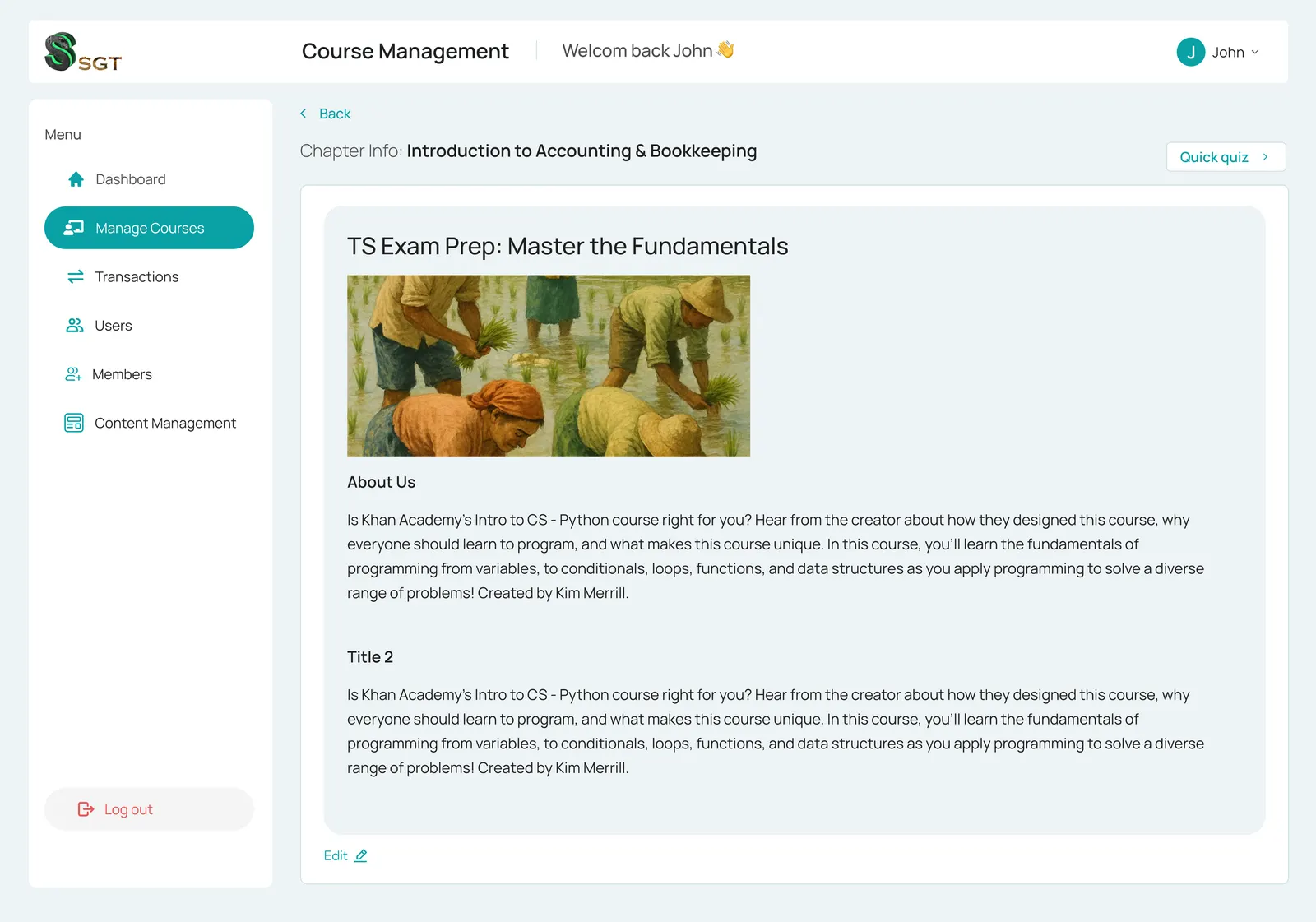
I led the project end to end on the frontend, building out every flow myself — from the public-facing website and student onboarding, through the members dashboard, to the admin dashboard used to manage courses, content, and exams. With no separate frontend team, that meant owning the full product surface: designing how each user type moved through the platform and making sure a student's course view, a member's dashboard, and an admin's control panel all felt like one coherent product rather than three disconnected apps.
The Solution
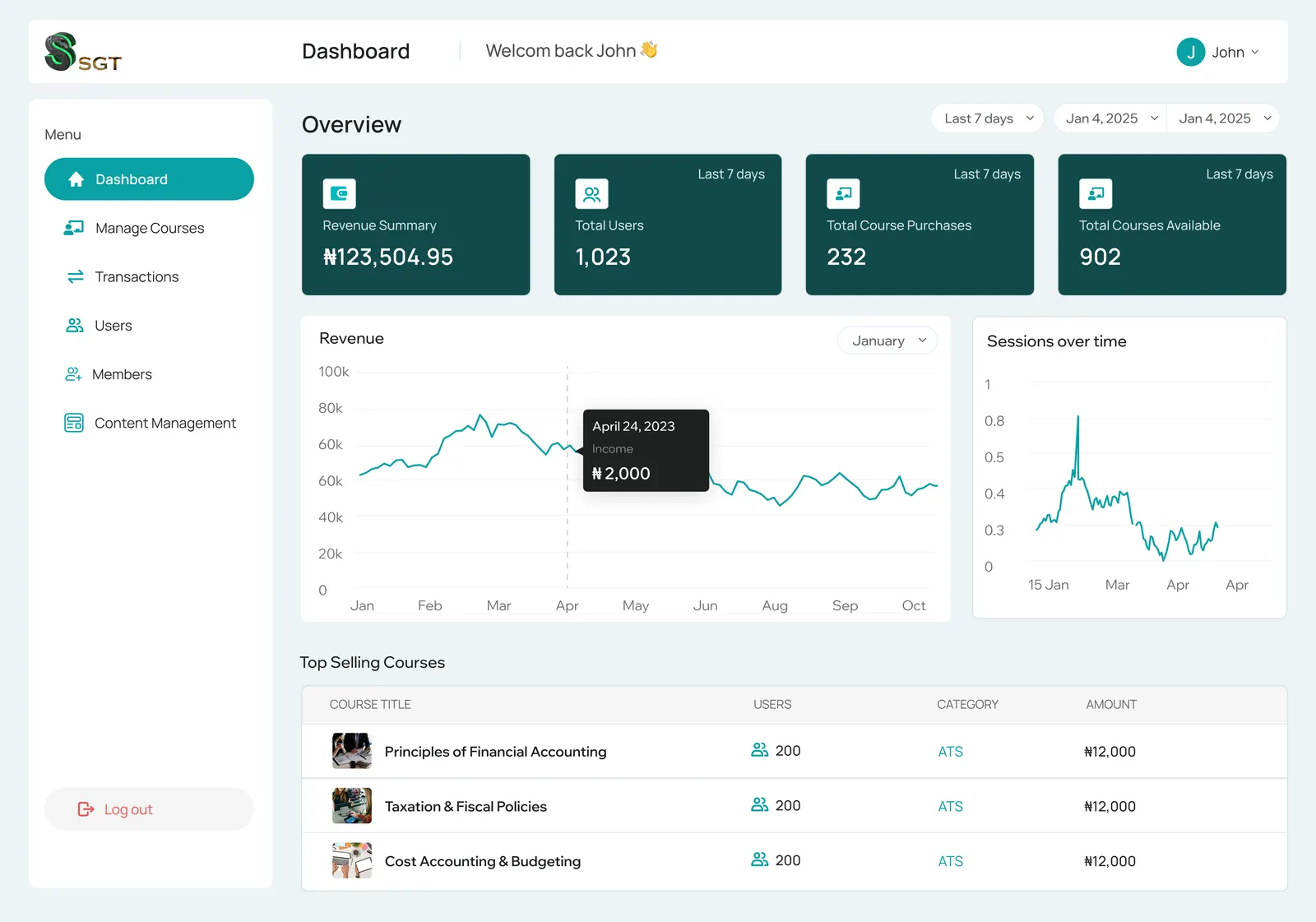
At the core of the platform is a quiz and exam engine built to handle real ATS, ICAN, and O'Level question formats — multiple choice, short answer, and theory questions, including ones that require proper mathematical notation. Students move through structured study tracks broken into chapters, with progress tracked visually as they complete each stage, so it's always clear what's done and what's next. Admins get the matching side of that system: tools to build out courses, manage question banks across formats, and keep the content pipeline feeding both the student and members experiences.
The Process
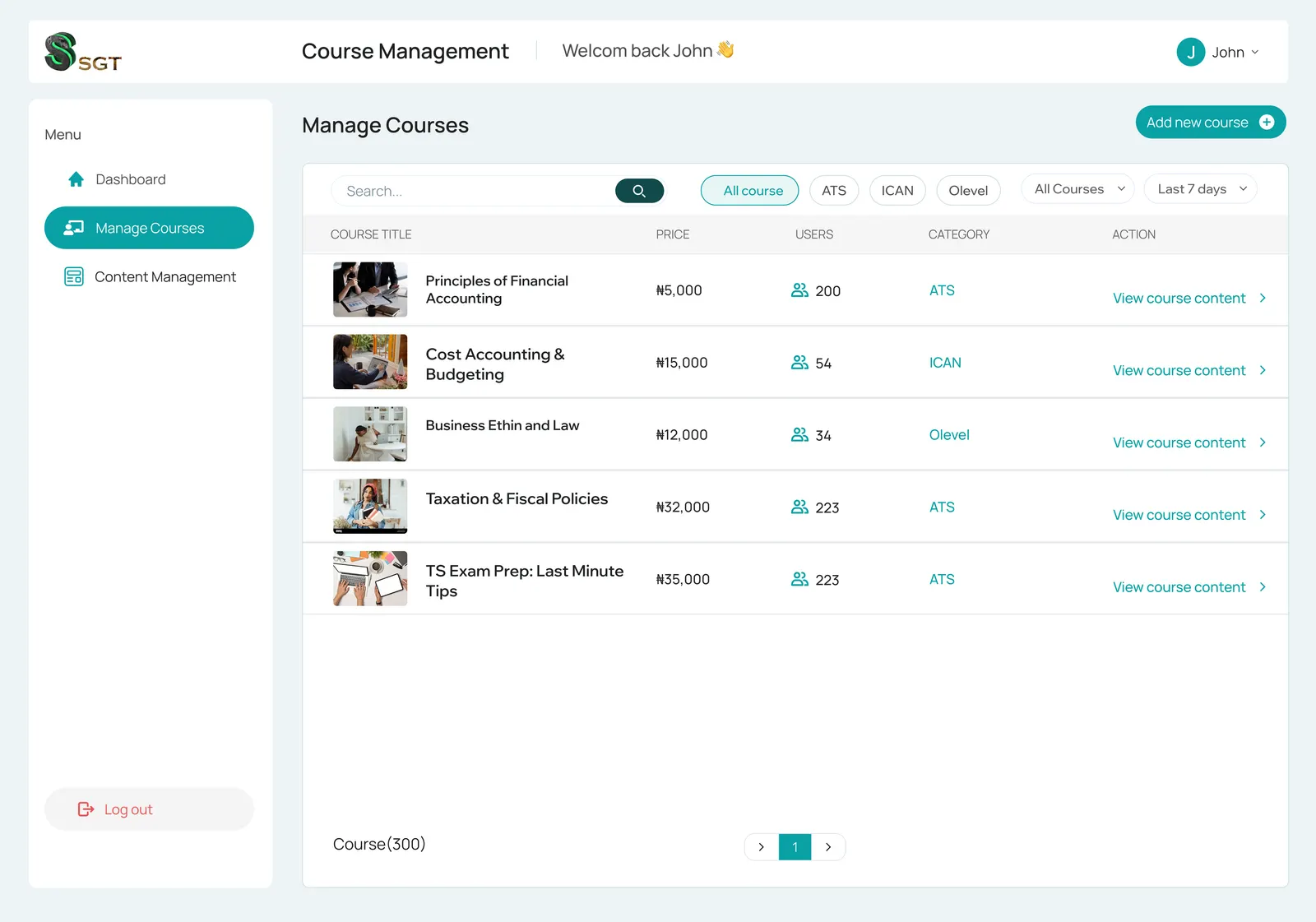
Building solo across four surfaces meant working outward from the student experience first — course browsing, chapter progress, quiz-taking — then building the members and admin dashboards to support it, rather than designing all four in isolation and stitching them together later. Shared pieces like progress trackers, question renderers, and course cards were built once and reused across dashboards, which kept the different experiences consistent even as the underlying data and permissions diverged between a student, a member, and an admin.
Lessons Learned
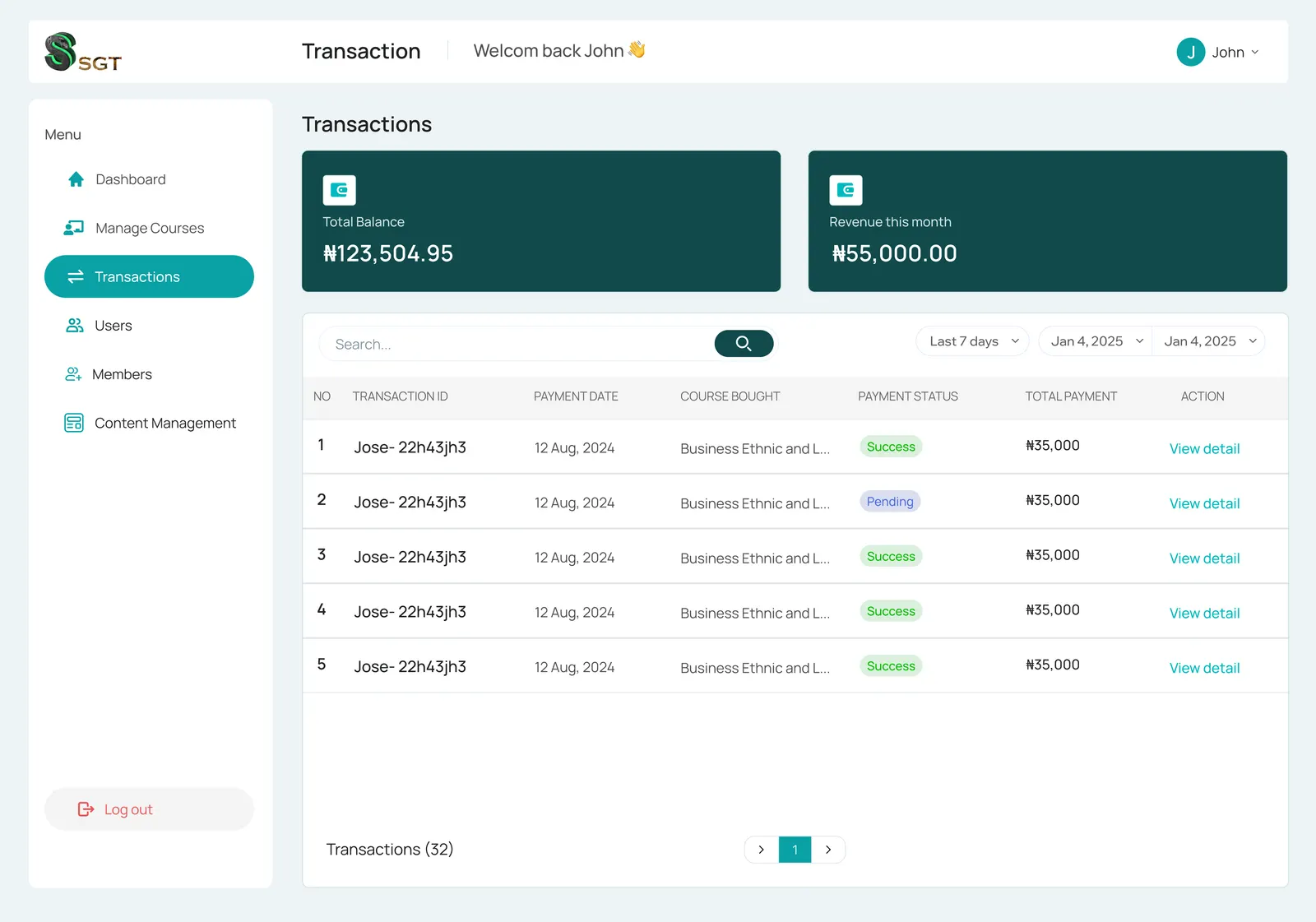
Owning a project from the landing page down to the admin panel forced a lot of decisions that get split across a team on most builds — information architecture, component reuse, and where complexity should live all fell on one person's judgment. It was also the deepest dive yet into handling math-aware question input and rendering at scale, which surfaced edge cases a simpler quiz app never would have. More than anything, it reinforced how much a well-planned component system pays off when you're the one who has to maintain every dashboard it touches.
Ready to build
something great?
Let's turn your idea into a fast, polished product from the first line of code to the final deploy.
Open to full-time roles and new freelance projects.
© 2026 Olaseni Disu
built with care, shipped with intent.